How to Check Trademark Registration Status? A Complete Guide to Decoding the Registry
Trademark application status | check trademark status India | IP India status meaning | Vienna codification meaning | trademark objection status | trademark watch

Anuj Anand Malik
Reviewed by AMA Legal Solutions
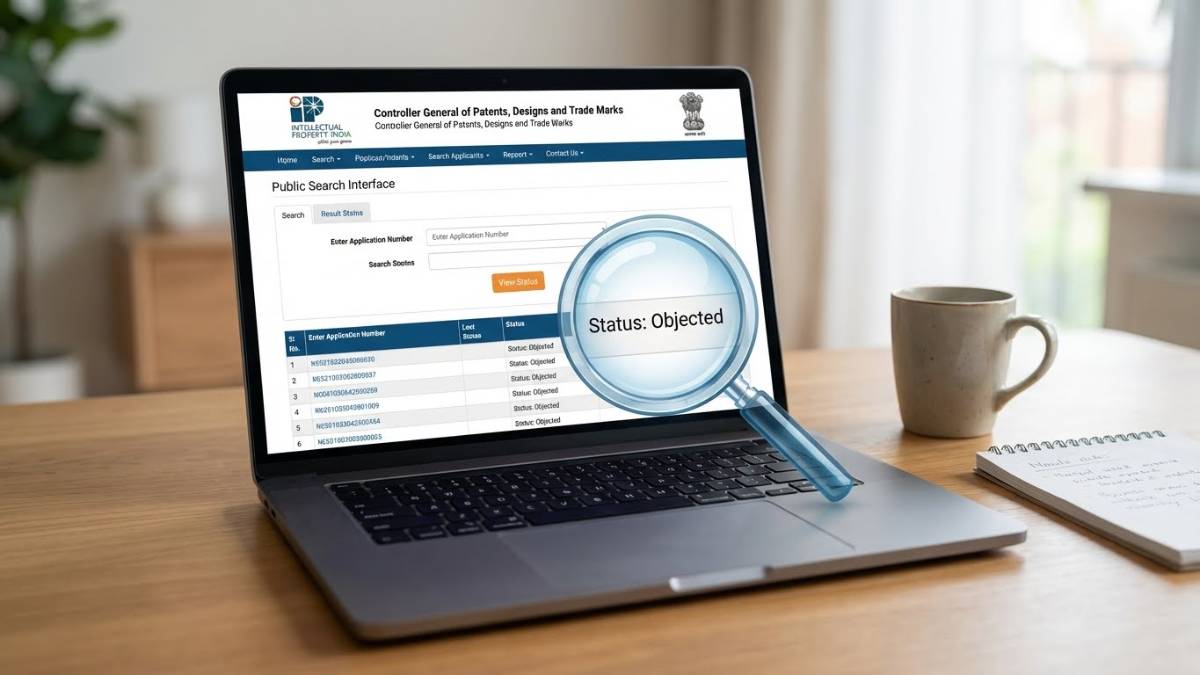
How to Check Trademark Registration Status?
You have done the hard part. You brainstormed a unique brand name, you designed a logo that pops, and you finally filed your trademark application. You probably felt a wave of relief when you hit "Submit" and got that application number. But now, a new feeling has settled in: the anxiety of the waiting game.
Trademark registration in India is not an overnight process. It is a marathon that can take anywhere from 6 months to 2 years, provided everything goes smoothly. During this long stretch, your application does not just sit in a pile; it moves through a complex digital assembly line, shifting from one status to another.
If you are just sitting around waiting for a certificate to arrive in the mail, you are making a mistake. The Registry often raises queries that require a response within strict timelines (sometimes as short as 30 days). If you miss these updates, your application could be marked as "Abandoned," and you would lose your filing fees and priority date.
This guide is your dashboard. We will walk you through exactly how to check your trademark registration status on the official government portal, and more importantly, we will decode the cryptic legal terms you will find there.
Why You Need to Stalk Your Application
Checking your status is not just about impatience; it is about vigilance. The Indian Trademark Registry operates on a transparent but strict system. Here is why regular checks are non-negotiable:
Deadlines are Brutal: If the status changes to "Objected," the clock starts ticking immediately. You usually have one month to file a reply. The Registry does not always send email alerts that land in your primary inbox (spam filters are notorious here). Checking the status yourself is the only safety net.
Competitor Watch: Sometimes, you might want to check the status of a competitor's mark. If they are trying to register a name similar to yours, catching it at the "Advertised" stage allows you to file an opposition before it becomes a registered asset.
Procedural Errors: Sometimes an application gets stuck in "Formalities Chk Fail" due to a simple typo or a blurred document upload. Catching this early means you can fix it immediately rather than waiting months for a rejection letter.
The Prerequisites: What You Need Before You Start
You cannot search the database effectively with just a vague memory of your brand name. Before you visit the website, ensure you have the following details handy:
The Trademark Application Number: This is the most accurate way to search. It is a unique 6 or 7-digit string assigned to you immediately after filing (found on your TM-A receipt).
The Class Number: If you are searching by name (Wordmark) instead of number, you will likely need the Class (1-45) to narrow down the results. For example, if you sell coffee, you are likely in Class 30. If you run a cafe, you are in Class 43.
A Desktop or Laptop: While the IP India website works on mobile, the layout is old-school and frame-based. It is significantly easier to navigate and view status documents on a desktop screen.
Step-by-Step Guide to Checking Status
The interface of the Intellectual Property India website is functional but dated. It does not look like a modern startup app, so do not be alarmed by the retro design.
Step 1: Access the Official Portal
Open your browser and navigate to the official IP India website. The direct link to the trade mark search is usually found at ipindiaservices.gov.in or via the ipindia.gov.in homepage.
Go to Trade Marks > Related Links > Trade Mark Status.
Alternatively, search for "IP India Public Search" on Google, but be careful to click the
.gov.inlink, not an ad for a private legal firm.
Step 2: Select the Search Type
On the left-hand side of the "Trade Mark Application/Registered Mark" page, you will see a few options. You want to select "Trade Mark Application/Registered Mark".
You will see two radio buttons or options: National/IRDI Number and International Registration Number.
Select National/IRDI Number (unless you filed via the Madrid Protocol from abroad).
Step 3: Enter Your Details
Application Number: Enter your unique application number in the field provided.
Captcha: Type in the code displayed. This site is aggressive with Captchas to prevent scraping, so type carefully.
Click View.
Step 4: Analyze the Results
If the details are correct, the system will display a summary table with your Trademark Name, Application Number, Class, and the most important field: Status.
Click on the Application Number (which is a hyperlink) to open the detailed view.
Pro Tip: Always open the detailed view. The summary status might say "Objected," but the detailed view will allow you to download the actual "Examination Report" to see why it was objected.
Decoding the Cryptic Statuses: The Master List
This is where most applicants get lost. The status field doesn't say "Pending" or "Approved." It uses specific legal terminology. Here is a comprehensive dictionary of what these terms mean and what you need to do.
1. New Application
What it means: This is the starting line. The system has received your application, and the data entry is complete. Action Required: None. Just verify that all details (spelling of the brand, address, applicant type) are correct in the detailed view. If you spot a typo now, a simple amendment request (Form TM-M) can fix it before it gets complicated.
2. Send to Vienna Codification
What it means: This confuses almost everyone. If your trademark includes a logo, design, or specific stylization (not just plain text), the Registry must index it. The "Vienna Code" is an international classification system for images (e.g., there is a specific code for "tigers," "mountains," or "geometric shapes"). Action Required: None. This is an internal tagging process. It does not mean your application is stuck; it is just being categorized so it can be searched by image later.
3. Formalities Chk Pass / Fail
What it means: Before a human examiner looks at the legal validity of your mark, the system checks the basic requirements.
Pass: You uploaded the right documents, paid the right fee, and signed the application correctly.
Fail: Something is missing. Maybe the Power of Attorney wasn't stamped, or the user affidavit was incomplete, or you selected the wrong category (e.g., Individual instead of Small Enterprise). Action Required: If it says Fail, check the "View Documents" tab immediately. The Registry will have uploaded a notice explaining the discrepancy. You must file a response to fix this clerical error.
4. Marked for Exam
What it means: Your application has cleared the basic checks and is now sitting in the virtual queue of a Trademark Examiner. This is the "Pending Review" stage. Action Required: Patience. This stage can last anywhere from 1 to 3 months depending on the backlog.
5. Objected
What it means: Do not panic—this is extremely common. Approximately 60% of applications face an objection. It means the Examiner has issued an Examination Report raising queries.
Section 9 Objection: The mark is not distinctive (e.g., you tried to trademark "Best Pizza" for a pizza shop).
Section 11 Objection: The mark is too similar to an existing trademark in the same class. Action Required: Urgent. You must download the Examination Report from the portal and file a legal reply (Response to Examination Report) within 30 days. You need to argue why your mark is distinct or different from the conflicting ones. This is usually where you need a trademark attorney.
6. Exam Report Issued
What it means: This is synonymous with "Objected" in many contexts, or it indicates the report has been generated but the status hasn't updated to "Objected" or "Accepted" yet. Action Required: Check the "Documents" section to see if the report is available for download.
7. Ready for Show Cause Hearing
What it means: If the Examiner was not convinced by your written reply to the objection, they will not reject you outright. They give you a second chance: a hearing. Action Required: You or your attorney must appear (usually via video conference) to argue your case before a senior officer. If you miss this hearing, the application will be abandoned.
8. Accepted & Advertised
What it means: Success! (Mostly). The Examiner is satisfied with your mark (or your reply to their objection). They have allowed it to be published in the Trade Marks Journal. Action Required: You are now in the "public waiting period." For 4 months, your mark is advertised to the public. If no third party (like a competitor) opposes it, you are clear.
9. Opposed
What it means: A third party saw your mark in the Journal and filed a "Notice of Opposition," claiming your mark hurts their business or brand. Action Required: This triggers a legal battle (like a mini court case) within the Registry. You must file a Counter-Statement within 2 months. If you ignore this, you lose your application. This process can drag out the registration timeline by a year or more.
10. Registered
What it means: The Holy Grail. You survived the examination, the hearing, and the opposition period. The Registry has issued your Registration Certificate. Action Required: Download your certificate. You can now legally use the ® symbol next to your brand name (up until now, you were only allowed to use TM).
11. Refused / Abandoned / Withdrawn
Refused: The officer rejected the application after the hearing.
Abandoned: You stopped responding to deadlines.
Withdrawn: You voluntarily pulled the application (perhaps to settle a dispute).
Common Glitches and Troubleshooting
The IP India portal is a government website handling millions of records. It is prone to hiccups. Here is how to handle them without losing your mind.
The "Status Not Updating" Panic
You filed a reply to an objection two weeks ago, but the status still says "Objected."
The Reality: The status update is manual. A clerk has to review your document and update the flag. It often takes 2-3 weeks for the status to reflect "Reply Filed" or "Alert."
The Fix: As long as you have the receipt of your filing (which is generated instantly), you are safe. Keep that receipt safe.
The "Website Not Loading" Issue
You try to access the site and get a timeout error.
The Reality: The site often undergoes maintenance during weekends or late nights (IST).
The Fix: Try accessing it during standard Indian business hours (10 AM to 6 PM IST). Also, try clearing your browser cache or using "Incognito" mode, as the site's session cookies can sometimes get stuck.
"No Records Found"
You enter your application number and get nothing.
The Reality: If you just filed it 10 minutes ago, give it 24 hours. If it has been days, double-check the number.
The Fix: Ensure you are searching in the "National/IRDI" section, not the International one.
What Comes After Registration?
Seeing "Registered" is a moment of celebration, but it is not the end of the road. A trademark is a use-it-or-lose-it asset.
1. Renewals are Key Your trademark is valid for 10 years from the date of application (not the date of registration). You must file a renewal request (Form TM-R) every 10 years indefinitely. If you forget, you have a 6-month grace period (with a fine), and then it is removed from the register.
2. Section 25(3) Notices You should proactively police your mark. Just because you are registered does not mean the Registry will automatically block every copycat. You should periodically search the journal for new applications that look like yours and oppose them.
3. Address Updates If your office moves, you must update the address on the Registry. If the Registry sends a legal notice to your old address and it bounces, they may treat the notice as "served" and eventually abandon your mark for non-response.
Conclusion
Checking your trademark registration status is a habit, not a one-time task. The difference between a registered brand and an abandoned application often comes down to who was paying attention.
By understanding the vocabulary of the Registry—knowing that "Objected" is an invitation to argue, not a rejection, and that "Send to Vienna Codification" is just paperwork—you can navigate the process with confidence.
Bookmark the IP India public search page. Set a calendar reminder for every second and fourth Friday of the month. Pour a cup of coffee, log in, and ensure your brand's future is still on track. It is your intellectual property; own the process as much as you own the name.
AMA Legal Solutions
Trusted with a 4.7 Google Rating, over 10,000+ Clients Served, 25,000+ Cases Handled, and more than 40+ Years of Experience in providing strategic legal defense and debt resolution across India.
Our media coverages





Client Reviews
""The step-by-step for the IP India website was crucial because their navigation is so confusing. Thanks for the clear instructions.""
Amit V
""Finally, a blog that explains what 'Marked for Exam' actually implies. The breakdown of status codes is the most detailed I've found." - Mahesh D"
Mahesh D
""I was stuck on 'Formalities Chk Fail' for weeks and didn't know I just had to upload a translation document. This guide saved my application!" - SME Owner"
Rajesh K.
Frequently Asked Questions
Related Articles

How to Trust Law Associates for Loan Settlement
Ensure Successful Loan Settlement with Trusted Legal Experts
Read Article
Expert Loan Settlement Lawyer: Minimize Amount, Maximize Waiver
Unlocking the Secrets to Successful Loan Settlements in India
Read Article
Mastering Loan Settlement of Personal Loan by Bajaj Finance
Navigate Bajaj Finance Loan Settlements with Expert Legal Insights
Read ArticleAbout Author
Anuj Anand Malik
View ProfileAnuj Anand Malik, Founder of AMA Legal Solutions, is a trusted advocate, loan settlement expert, legal advisor, and banking lawyer. With over a decade of experience in loan settlement, corporate law, financial disputes, and compliance, he leads a result-driven law firm based in India that helps individuals, startups, and businesses achieve legal and financial stability.
Connect on LinkedInNeed Legal Help?
Get expert advice on loan settlement and debt relief.
Call +91-8700343611Request Callback